Link Checker
Check a link before you click.
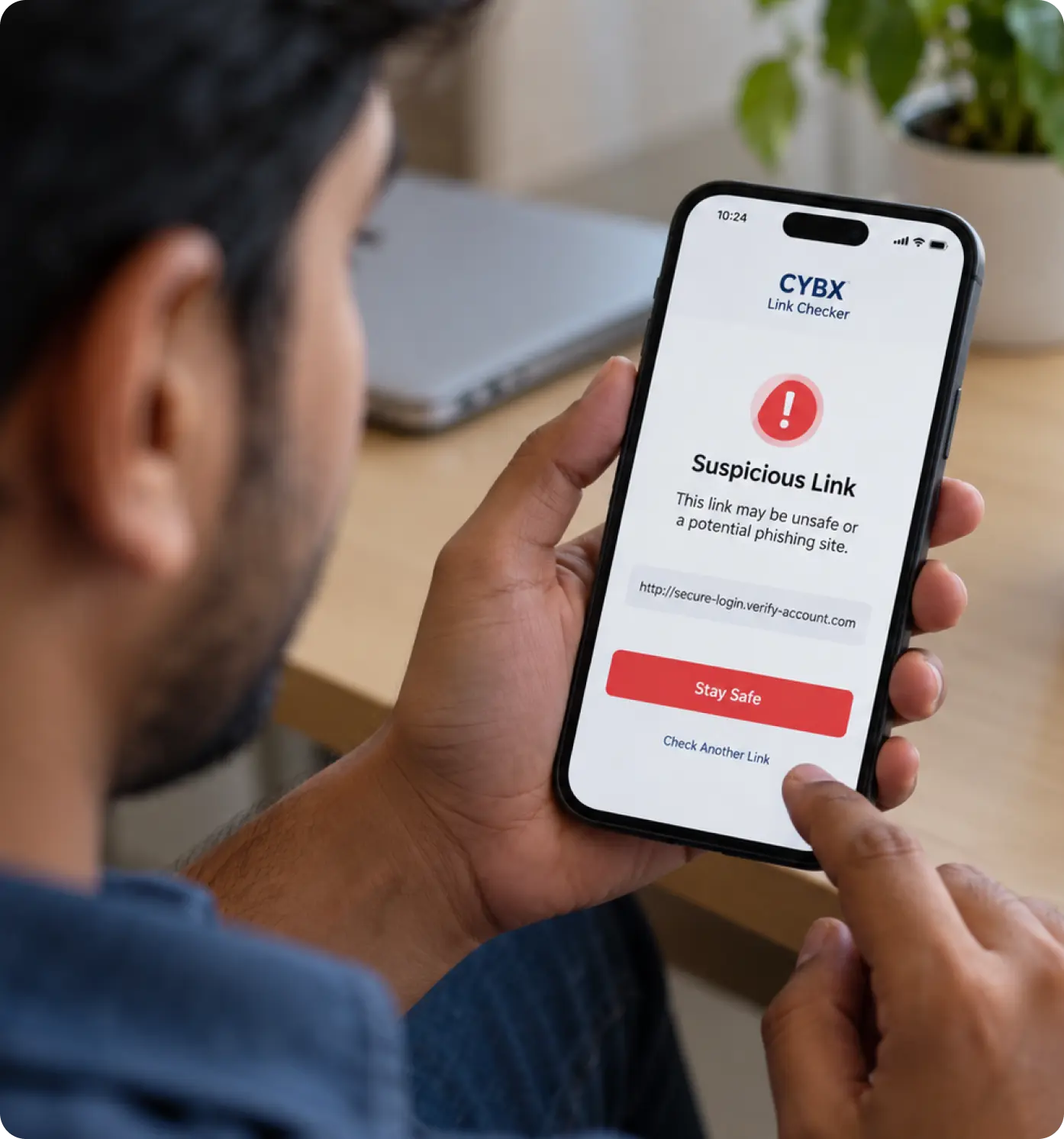
Not sure whether a link is safe? Use the CYBX Link Checker to scan suspicious URLs before opening them. Help identify phishing, fake, spam, malicious and potentially fraudulent links so you can make a safer decision.
Available features depend on your device and plan.
ON THIS PAGE
What is a Link Checker?
A link checker is a security tool that helps you assess whether a URL may lead to a phishing page, fake website, malware, scam or other unsafe destination. Instead of opening a suspicious URL directly, you can check it first and look for warning signals.
A link can look legitimate while leading somewhere completely different. Attackers may use lookalike domains, shortened URLs, fake login pages, urgent messages or misleading redirects to make a dangerous link appear trustworthy.
How to Use CYBX Link Checker
- 1.Copy the link - Copy the URL from the SMS, email, WhatsApp message, social-media post or webpage without opening it.
- 2.Paste the URL - Enter the complete link into the CYBX Link Checker.
- 3.Check the result - Review the security result and any warning signals identified by the checker.
- 4.Decide safely - If the link looks suspicious or dangerous, avoid opening it or entering passwords, OTPs, card details or other sensitive information.
What Can a Link Checker Help You Detect?
- •Phishing links: Links designed to take you to fake login or verification pages.
- •Fake links: URLs that imitate trusted brands, services or websites.
- •Spam links: Unwanted links commonly distributed through messages, email or social platforms.
- •Malicious links: URLs associated with harmful websites, downloads or suspicious activity.
- •Fraud links: Links used in scam, payment, refund, investment or account-verification attempts.
- •Malware links: Links that may lead to malware-hosting pages or harmful downloads.
- •Suspicious URLs: Links with unusual domains, redirects, patterns or other risk indicators.
Benefits of CYBX Link Checker
- •Check suspicious links before clicking them.
- •Reduce exposure to phishing and fake websites.
- •Help identify risky URLs shared through messages, email and social media.
- •Add an extra safety step before entering passwords or payment information.
- •Make link security easier for everyday users without requiring advanced cybersecurity knowledge.
- •Use link checking alongside broader CYBX protections for device, network, phishing and payment security.
Why Choose CYBX?
- •Mobile-first protection: CYBX is built around everyday mobile threats and the way people actually receive suspicious links.
- •More than link checking: Link protection sits within a broader cybersecurity experience covering multiple digital risks.
- •Consumer-friendly security: The goal is to make cyber protection understandable and actionable for everyday users.
- •Relevant to real-world scams: Use cases include suspicious messages, phishing links, payment scams and fake websites.
- •Part of a wider protection layer: CYBX can complement link checking with device, network and payment-related security features.
Common Situations Where You Should Check a Link
- •A bank or payment message asks you to update KYC or verify an account.
- •A courier or delivery message asks you to pay a small fee.
- •A social-media DM contains an unexpected login or verification link.
- •An email asks you to reset a password urgently.
- •Someone sends a shortened URL with no context.
- •A message promises a prize, refund, investment opportunity or unusually large discount.
- •A link appears to use a brand name but the domain looks different.
Link Security Tips
- •Never enter passwords, OTPs or card details just because a link looks official.
- •Check the actual domain, not only the logo or display name.
- •Be cautious with shortened links and unexpected redirects.
- •For banking or payments, open the official app or type the official website yourself when possible.
- •Treat a 'safe' automated result as a risk signal, not an absolute guarantee-new threats can appear before databases detect them.
FAQs on Link Checker
What is a link checker?
A link checker is a tool that helps assess whether a URL may be unsafe, malicious, phishing-related, fraudulent or suspicious before you visit it.
How can I check if a link is safe?
Copy the URL without opening it and submit it to a trusted link checker. Review the result and avoid entering sensitive information if the link is suspicious.
Can I check a phishing link before clicking it?
Yes. Copy the link address rather than opening it, then submit it to the checker for analysis.
What is a phishing link checker?
A phishing link checker is designed to identify URLs that may lead to fake websites or pages intended to steal credentials, payment information or personal data.
Can a link checker detect malware?
A link checker can identify URLs associated with known or suspected malicious activity, malware-hosting destinations or other risk signals. No automated checker can guarantee that every new threat will be detected.
Can I use a link checker for bank links?
Yes. If you receive an unexpected banking or payment link, check it before opening it. For sensitive transactions, it is safer to access your bank through its official app or website directly.
Does a safe result mean a link is 100% safe?
No. Automated security tools can miss newly created or highly evasive threats. Use the result as one safety signal and avoid sharing sensitive information with untrusted websites.
What should I do if a link is flagged as suspicious?
Do not open it or enter sensitive information. If the message claims to be from a bank, company or service, contact that organization through an official channel.
Can I check shortened URLs?
Yes, a link checker can be useful for suspicious shortened URLs. Be especially cautious when you cannot see the final destination or the sender is unexpected.
Why use CYBX Link Checker?
CYBX combines link and phishing protection with a wider mobile cybersecurity ecosystem, including device, network and payment-related security features.
Secure your
device with CYBX.
Complete mobile protection against phishing, malware, fraud and data theft. Free for the first 14 days.
Trusted by over 500,000 users. Prefer to subscribe on the web and save?
See web prices
Scan to download
CYBX website · iOS and Android