Photo storage accounts Data Breach Checker
Check if your photo storage accounts login details or personal info leaked online.
From shopping apps to gaming profiles, your personal data is stored across dozens of online databases. Run a scan to see whether your accounts are safe from hackers.
Available features depend on your device and plan.
ON THIS PAGE
Everyday risks for photo storage accounts
You probably sign up for apps without thinking twice about where that data goes. When a game server or fitness app gets breached, your email, phone number, and password end up in public paste files.
Scammers buy those lists to run automated scams. They send fake delivery text messages, hack social media accounts, and attempt logins on your primary email. Checking your exposure takes less than 10 seconds and prevents serious headaches.
Scan your photo storage accounts credentials
Enter the email you use for photo storage accounts. We cross-reference your address against billions of leaked records and paste dumps.
How to check your photo storage accounts exposure
- 1.Enter your email - Submit the email address you use for photo storage accounts.
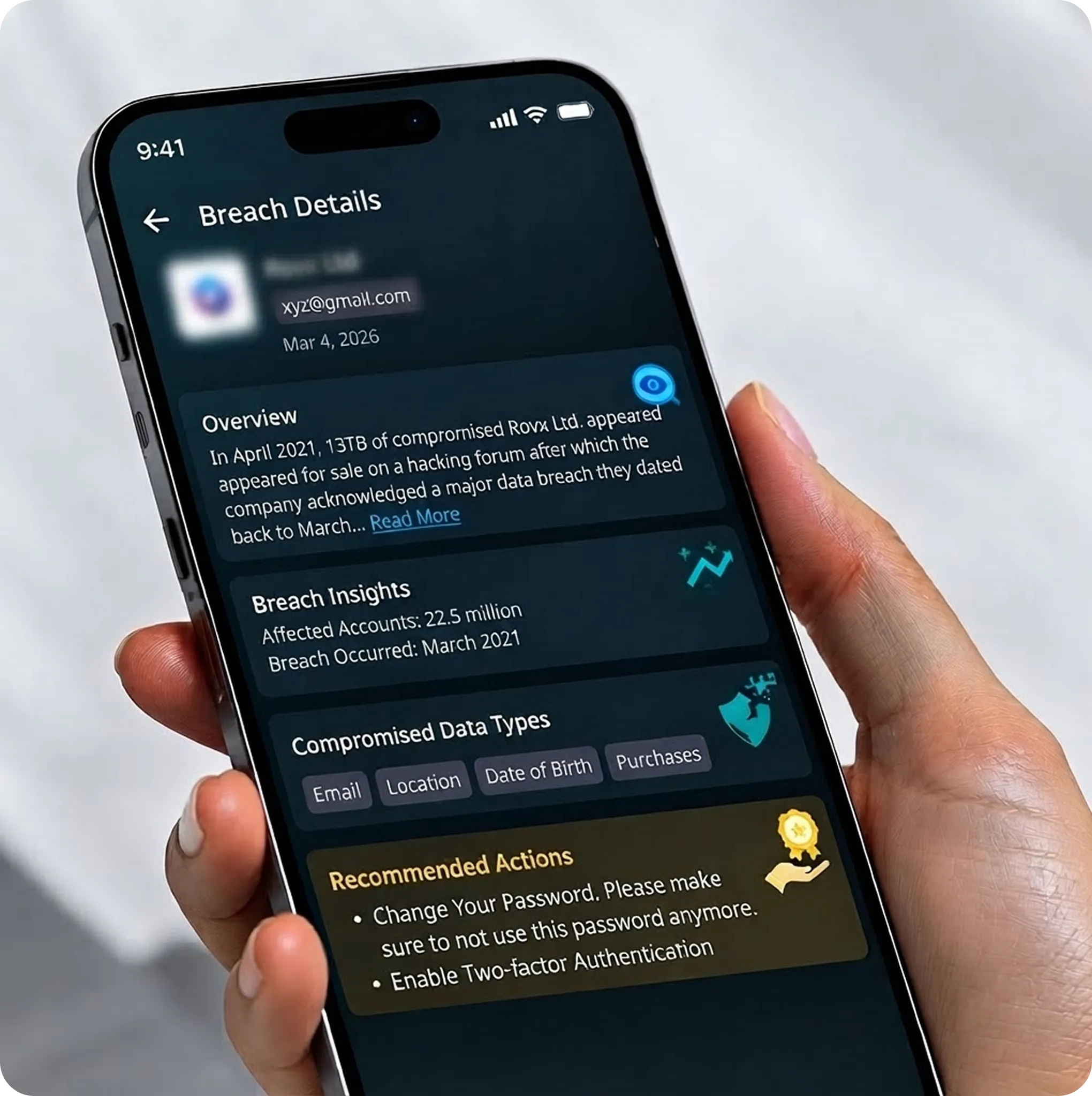
- 2.Run the security scan - CYBX checks breach repositories and dark web paste archives.
- 3.See what was exposed - Check if passwords, phone numbers, or credit card records appeared in leaks.
- 4.Take quick action - Change exposed passwords and turn on two-step verification.
How this protects you
- •Keep your social profiles safe: Prevent hackers from stealing your Instagram, Discord, or gaming accounts.
- •Block scam calls and texts: Cut down on fake delivery updates and lottery scams targeting your phone number.
- •Protect saved cards: Stop criminals from running test transactions on your food or ride-hailing apps.
- •Guard your family: Ensure leaked personal information is not used for impersonation scams.
- •Total mobile safety: CYBX blocks malicious links and phishing attempts automatically.
Steps to take if your photo storage accounts is exposed
- 1.Change your password now - Pick a new, unique password that you have never used before.
- 2.Turn on two-step verification - Use an authenticator app like Google Authenticator or Microsoft Authenticator.
- 3.Check saved credit cards - Review saved cards in your apps and turn on transaction alerts with your bank.
- 4.Be alert for suspicious messages - Do not tap on links in random text messages claiming your account is suspended.
Why Choose CYBX?
- •Complete mobile defense: CYBX does not stop at breach checks. It blocks malicious links, filters scam calls, and secures your phone.
- •Clear, practical advice: We tell you exactly what leaked and what steps to take next. No confusing technical jargon.
- •Real financial backup: Eligible CYBX plans include up to ₹1,00,000 in cyber fraud insurance to protect against direct monetary theft.
- •Strict privacy: We never sell your search data, track your lookups, or spam your inbox.
- •Fast and effortless: Get answers in under 10 seconds right from your browser or mobile app.
Frequently Asked Questions
Will checking my email alert hackers?
No. CYBX checks historical and confirmed breach records stored securely in our intelligence database. Your query is completely private and never broadcast.
What if I only use this account for fun or games?
Hackers use gaming and social accounts to run credential stuffing attacks on your work and banking emails. Securing every account matters.
How often should I check my exposure?
Run a check every few months, or immediately whenever a popular app you use announces a data security incident.
Secure your
device with CYBX.
Complete mobile protection against phishing, malware, fraud and data theft. Free for the first 14 days.
Trusted by over 500,000 users. Prefer to subscribe on the web and save?
See web prices

Scan to download
CYBX website · iOS and Android