QR Code Detector
Scan before you trust.
CYBX helps you check QR codes for suspicious destinations and potential scams before you open a link or make a payment.
Available features depend on your device and plan.
ON THIS PAGE
What is a QR code detector?
A QR code detector identifies and reads the information hidden inside a QR code. But reading a QR code is only the first step. A QR code may contain a website link, payment information or other data, and the destination may not always be trustworthy.
CYBX brings a security-first approach to QR scanning. Instead of treating every QR code as safe simply because it can be scanned, the experience is designed to help you identify suspicious QR codes and make a more informed decision before opening a link or proceeding with a transaction.
Is this QR safe?
Not every QR code is dangerous but you should not assume every QR code is safe. A fake QR code can be placed over a genuine code, shared through a message, printed on a poster or used to send you to a fraudulent website.
Use CYBX as a QR safe scanner to check the QR code before you continue. Pay special attention to unfamiliar destinations, unexpected payment requests, look-alike domains and QR codes that appear tampered with.
How to use the QR code detector
- 1.Open the CYBX QR code detection feature. - Open the CYBX QR code detection feature.
- 2.Scan the QR code or use the available image - based scanning option.
- 3.Let CYBX identify the information or destination associated with the QR code. - Let CYBX identify the information or destination associated with the QR code.
- 4.Review the result and look for suspicious or unexpected signals. - Review the result and look for suspicious or unexpected signals.
- 5.Only continue when the destination and transaction details make sense to you. - Only continue when the destination and transaction details make sense to you.
Detect Fake QR Codes Before You Pay or Click
Fake QR codes are increasingly used in payment and phishing scams. A fraudster can replace or cover a genuine QR sticker with another QR code, causing a payment to go to the wrong account. In other cases, a QR code can lead to a fake login or payment page.
A fake QR code detector can add an important safety check before you trust the destination. If a QR code is associated with a payment, always verify the recipient or beneficiary name shown by your UPI app before approving the transaction.
Fake UPI QR Code Detector
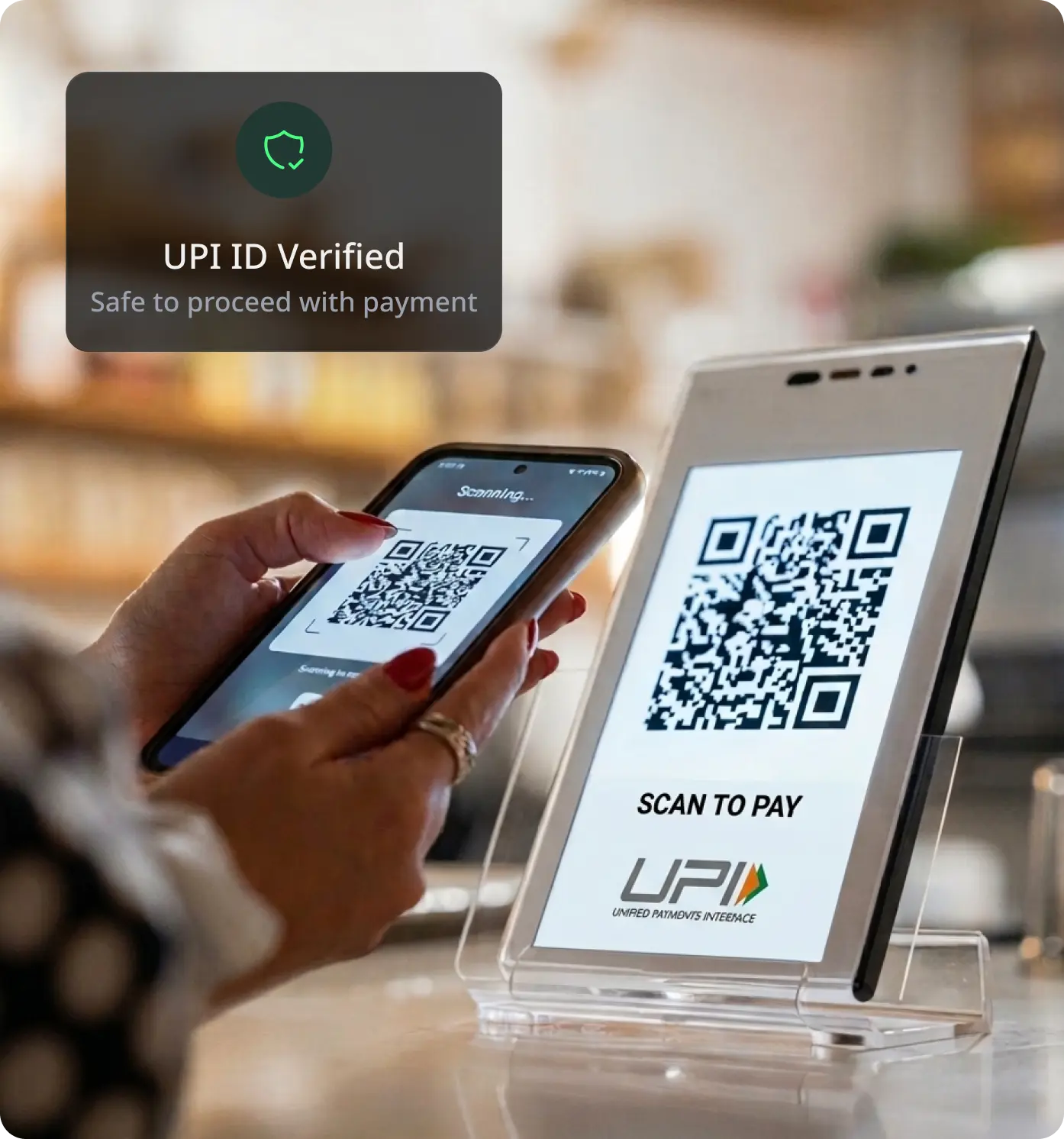
UPI has made QR payments fast and convenient, but convenience also creates opportunities for fraud. A fake UPI QR code can redirect a payment to a fraudster instead of the intended merchant.
Before paying, check the beneficiary name, UPI ID and payment details shown in your UPI app. If anything looks unfamiliar or inconsistent with the merchant, stop and verify.
Benefits of a QR safe scanner
Check before you click: Add a security step before opening a QR-linked destination.
Spot suspicious QR codes: Identify QR-related warning signs instead of blindly opening links.
Protect against QR phishing: Reduce exposure to quishing-style attacks that hide malicious links inside QR images.
Safer payment decisions: Use extra caution when a QR code is connected to a UPI payment.
Simple everyday protection: Useful for QR codes on posters, menus, packages, messages, websites and payment counters.
Part of a wider security ecosystem: CYBX is built around broader digital protection, including harmful-link and mobile-security detection.
Why choose CYBX?
- •Security-first approach: CYBX positions QR scanning as a protection step, not just a decoding utility.
- •Built for everyday digital risks: QR safety sits alongside broader CYBX capabilities for harmful links, scams and mobile threats.
- •India-relevant use cases: The product can directly address QR and UPI fraud scenarios familiar to Indian users.
- •Easy to understand: Clear outcomes such as safe, suspicious or review-before-opening are more useful to consumers than technical jargon.
- •One app for broader protection: CYBX describes itself as a B2C cybersecurity super app, giving the QR feature a wider security context.
QR code safety checklist
- •Check whether the QR sticker looks tampered with or placed over another code.
- •Preview the destination before opening it whenever possible.
- •Look carefully at unfamiliar or misspelled domains.
- •For UPI payments, verify the beneficiary name and UPI ID before approving.
- •Do not enter passwords, OTPs, card details or banking credentials on unexpected pages.
- •If the QR code is associated with an urgent payment or prize, slow down and verify the source.
FAQ: QR Code Detector
What is a QR code detector?
A QR code detector identifies and reads information stored in a QR code. A security-focused detector can also help you review the destination or identify suspicious signals before you proceed.
Is this QR safe?
A QR code should not be considered safe simply because it scans successfully. Review the destination and transaction details before opening or paying.
Can a fake QR code steal money?
Yes. A fake payment QR can direct a UPI payment to a fraudster. Always verify the beneficiary name and payment details before approving.
What is a fake QR code scanner?
A fake QR code scanner is a security-oriented scanning tool designed to help identify suspicious QR codes or unsafe destinations instead of simply opening whatever the QR contains.
How does a fake UPI QR code work?
A fraudster may replace or cover a legitimate merchant QR with a QR linked to another UPI account. The customer can then send money to the wrong recipient.
What is QR phishing or quishing?
Quishing is phishing delivered through a QR code. The QR can hide a malicious or fraudulent link that attempts to trick you into sharing information or taking an unsafe action.
Should I scan QR codes from WhatsApp or SMS?
Treat unexpected QR codes shared through messages cautiously. Verify who sent them and inspect the destination before opening it.
Secure your
device with CYBX.
Complete mobile protection against phishing, malware, fraud and data theft. Free for the first 14 days.
Trusted by over 500,000 users. Prefer to subscribe on the web and save?
See web prices
Scan to download
CYBX website · iOS and Android