Yahoo Mail Data Breach Checker
See if your Yahoo Mail address and passwords leaked onto the dark web.
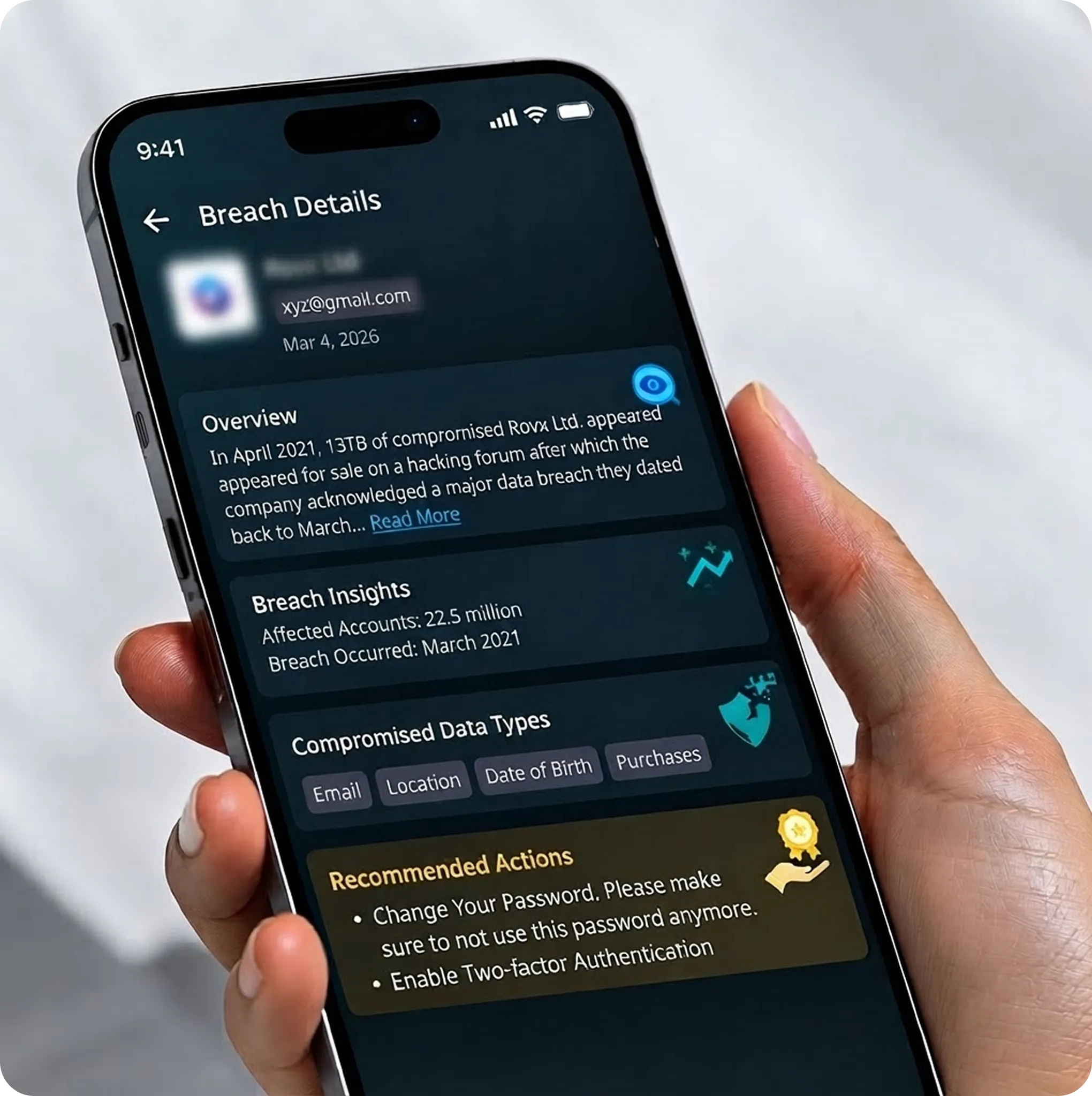
Hackers do not guess passwords one by one. They buy stolen database dumps and use automated software to crack accounts. Check your Yahoo Mail address right now to catch exposures before someone logs in.
Available features depend on your device and plan.
ON THIS PAGE
How Yahoo Mail accounts get compromised
You probably use your Yahoo Mail address to sign up for shopping sites, social apps, and subscription boxes. When one of those random websites suffers a database break-in, your email and password get dumped online.
Criminals snatch up those combo lists instantly. From there, automated scripts test your credentials against email providers, payment apps, and bank portals. If you reused that password anywhere, you are exposed.
Scan your yahoo mail credentials
Type in your Yahoo Mail email below. CYBX scans verified breach feeds and underground paste records in seconds. You get an immediate answer without handing over your password.
How to check your yahoo mail exposure
- 1.Enter the email - Type the exact Yahoo Mail address you want to inspect.
- 2.Scan breach records - CYBX cross-checks historical and recent database dumps from criminal forums.
- 3.Check the damage - Find out if passwords, phone numbers, or security questions leaked.
- 4.Lock down your inbox - Update your password immediately and boot out unknown connected devices.
What you prevent by checking early
- •Stop inbox hijacking: Keep strangers out of your private chats and contact lists.
- •Block password reset theft: Prevent thieves from resetting passwords on your bank, Amazon, and UPI accounts.
- •Spot sneaky forwarding rules: Catch hidden filters that quietly forward incoming bills and tax documents to scammers.
- •Cut down phishing: Stop attackers from sending fake payment requests to your contacts.
- •Peace of mind: Know your account standing in less than 10 seconds.
Steps to take if your yahoo mail is exposed
- 1.Change the password immediately - Pick a fresh passphrase you have never used on any other website.
- 2.Turn on an authenticator app - Avoid basic SMS codes when possible. Use Google Authenticator or a hardware key instead.
- 3.Check your forwarding settings - Open your email filters. Make sure no mystery address is receiving copies of your emails.
- 4.Review authorized third-party apps - Revoke access for games, quiz apps, or tools you stopped using months ago.
Why Choose CYBX?
- •Complete mobile defense: CYBX does not stop at breach checks. It blocks malicious links, filters scam calls, and secures your phone.
- •Clear, practical advice: We tell you exactly what leaked and what steps to take next. No confusing technical jargon.
- •Real financial backup: Eligible CYBX plans include up to ₹1,00,000 in cyber fraud insurance to protect against direct monetary theft.
- •Strict privacy: We never sell your search data, track your lookups, or spam your inbox.
- •Fast and effortless: Get answers in under 10 seconds right from your browser or mobile app.
Frequently Asked Questions
Does a breach report mean someone is reading my Yahoo Mail inbox right now?
Not necessarily. It means your email or an old password appeared in a leaked database. However, if you reused that password, an attacker could try logging into your account at any moment.
Do I have to enter my password to check?
No. Never enter your password into any breach checker. CYBX only requires your public email address to check against verified breach catalogs.
What should I do if my Yahoo Mail password is listed in a leak?
Reset it right away on your email provider and change it across every other site where you used the same password.
Secure your
device with CYBX.
Complete mobile protection against phishing, malware, fraud and data theft. Free for the first 14 days.
Trusted by over 500,000 users. Prefer to subscribe on the web and save?
See web prices
Scan to download
CYBX website · iOS and Android